Object Designer
When the business changes, the system changes the same day
A zero-code development tool: model business objects, fields, page layouts, and validation rules by drag-and-drop. Changes go live instantly — no code required.
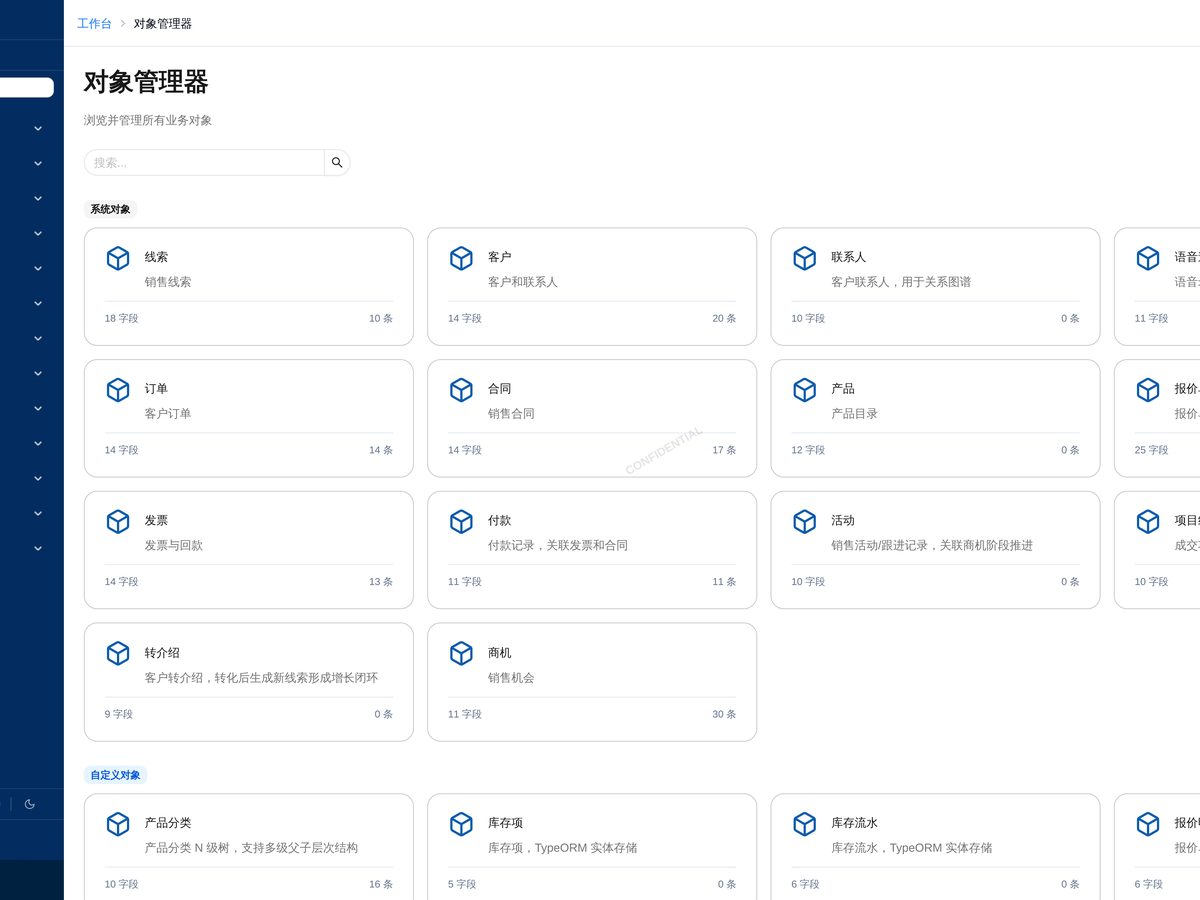
Product Screenshots
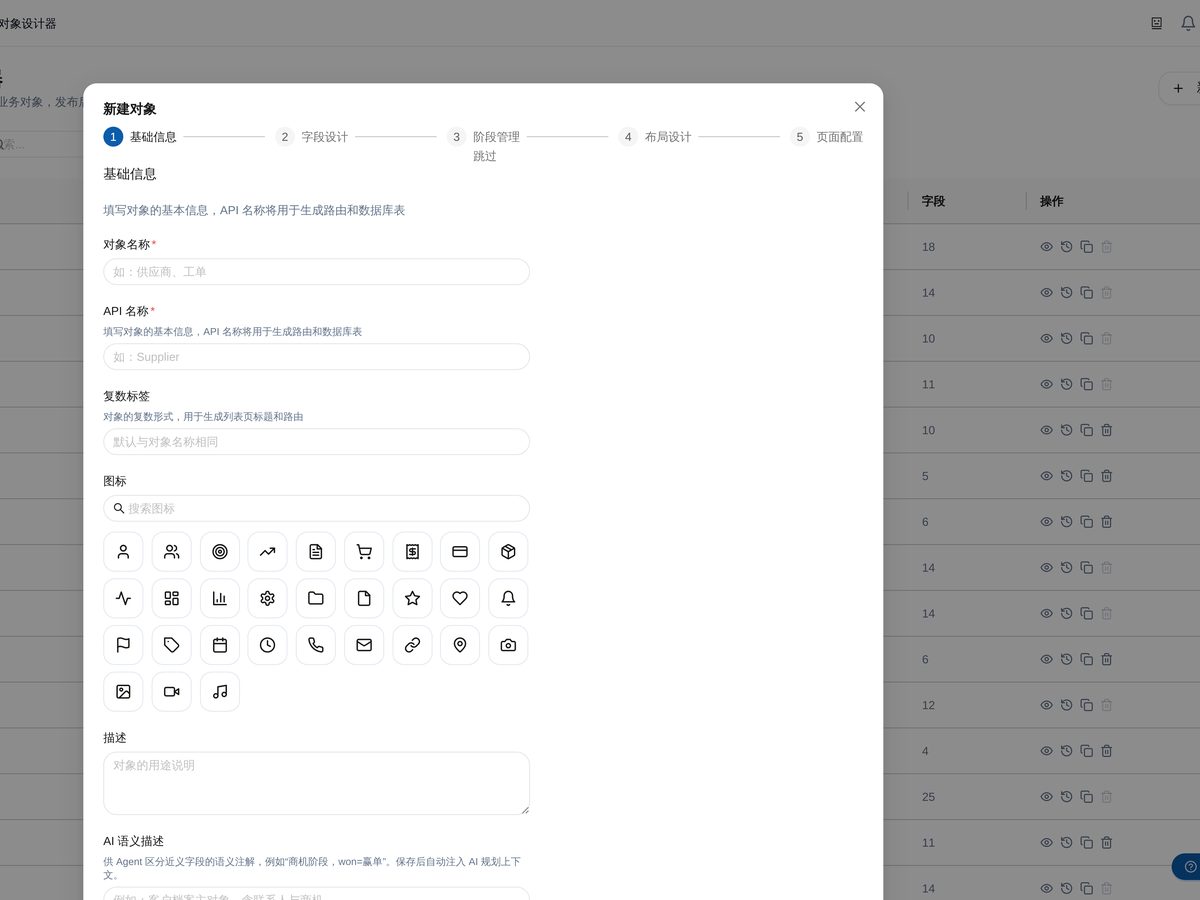
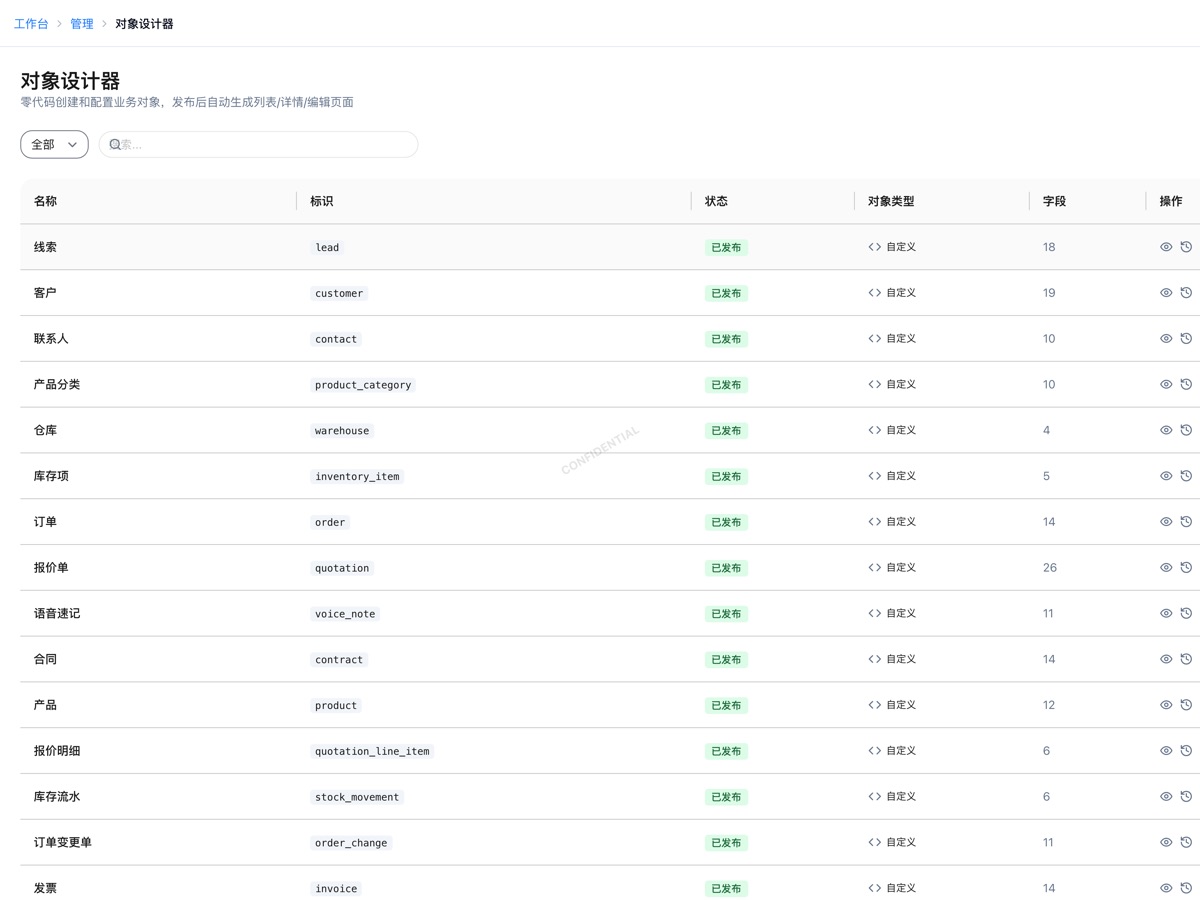
It solves these problems
Features
- Custom object & field modeling
- 20+ field types
- Drag-and-drop page layouts
- Validation & required rules
- Object relationships (master-detail / lookup)
- 50+ preset object templates
- Publish on save, no restart
- Permissions, audit & BI inherited automatically
Frequently Asked Questions
Does Object Designer require coding?
No. Objects, fields, layouts, and validation are all configured visually. Teams with development capacity can go further and build deep integrations through the open API.
Can custom objects work with standard features?
Yes. Custom objects automatically gain the same capabilities as standard ones — role permissions, operation audit, global search, and reporting/BI analysis — with no extra development.
Can I recover from a misconfiguration?
All configuration changes are tracked and auditable. Destructive operations that affect data safety are guarded by mistake-proof checks to prevent accidental deletion or modification.
Apply for a 30-day free trial
Standard edition, shared demo environment. No credit card required.